
Tip: All changes are tracked in the Gateway documentation, see the information in the last row of the documentation agreement.
For the latest 15.0 releases, see https://downloads.seppmail.com/extrelnotes/150/ERN15.0.html
For the latest 14.1 releases, see https://downloads.seppmail.com/extrelnotes/141/ERN14.1.html
For the latest 14.0 releases, see https://downloads.seppmail.com/extrelnotes/140/ERN14.0.html
For the latest 13.1 releases, see https://downloads.seppmail.com/extrelnotes/131/ERN13.1.html
SEPPmail Gateway news via Statuspal As of July 2025, SEPPmail Secure E-Mail Gateway customers and partners can register for Statuspal messages under the link https://seppmail.statuspal.eu/#subscribe. Information about the Gateway is now also published here.
Release Date: September 29th, 2026
SEPPmail version: 15.1.0.1
Author: Birgit Grossmann
Fixed internal server error in edit GINA domain page.
Release Date: September 28th, 2026
SEPPmail version: 15.1
Author: Birgit Grossmann
It is now possible to test one or all key server connections in the Mail Processing settings.
Test connection(s)
In the past we saw sometimes that the LDAP size increased very fast without any reason. To prevent a complete loss of the DB, we now implemented a bloating detection to warn the admin that something might be broken with the LDAP.
It is now possible to restrict the sections/menus accessible for customer admins. The feature is configured in the Customer Management "Edit settings for customer '<customername>' ".
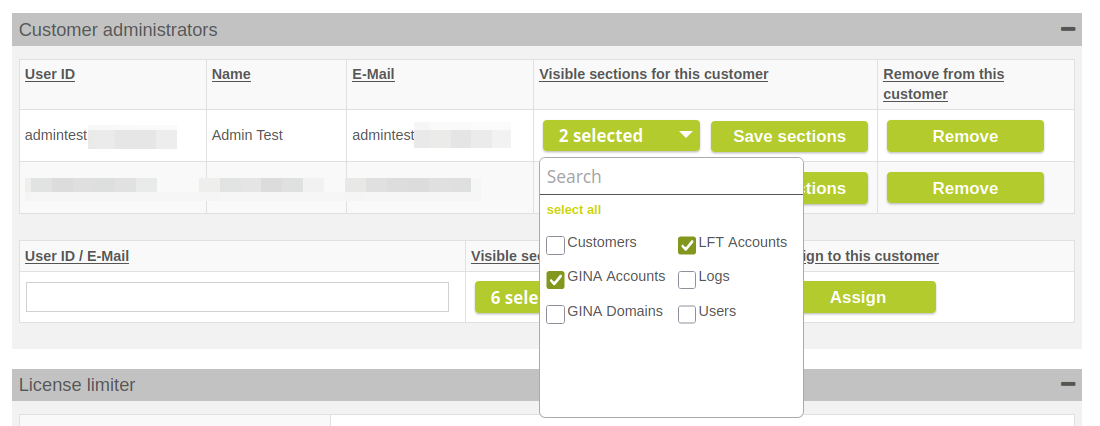
Edit settings for customer '<customername>'
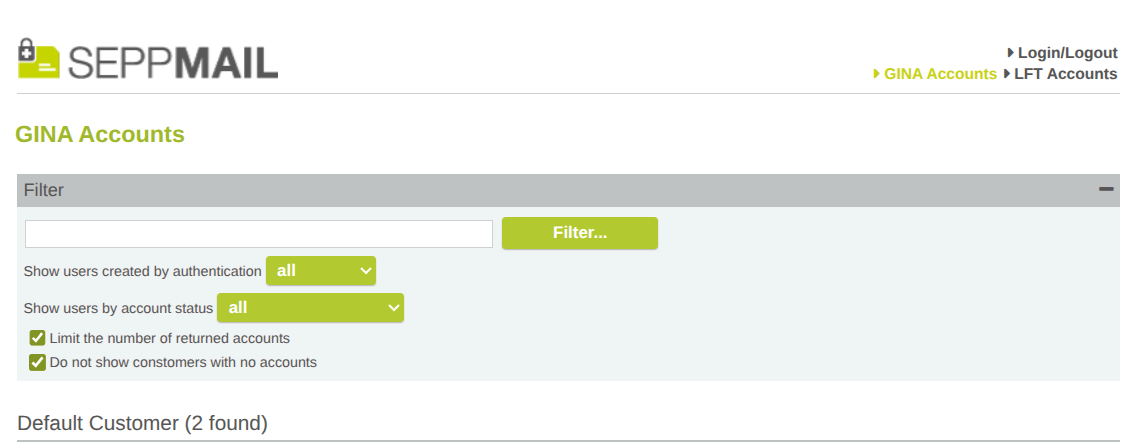
Example for a restricted menu view
The appliance now also checks the LFM partition regarding the used space. The admin will get a watchdog warning if the LFM partition is over 85% full.
This feature makes it possible to actively send notification mails to external users if their public S/MIME certificate is going to expire, with the request to send us a mail signed with their new S/MIME cert so we can collect it. For the notification mail there are a number of new templates. The admin can create new templates but has to follow the naming convention "cert_expiry_notify_<2 char country code>".
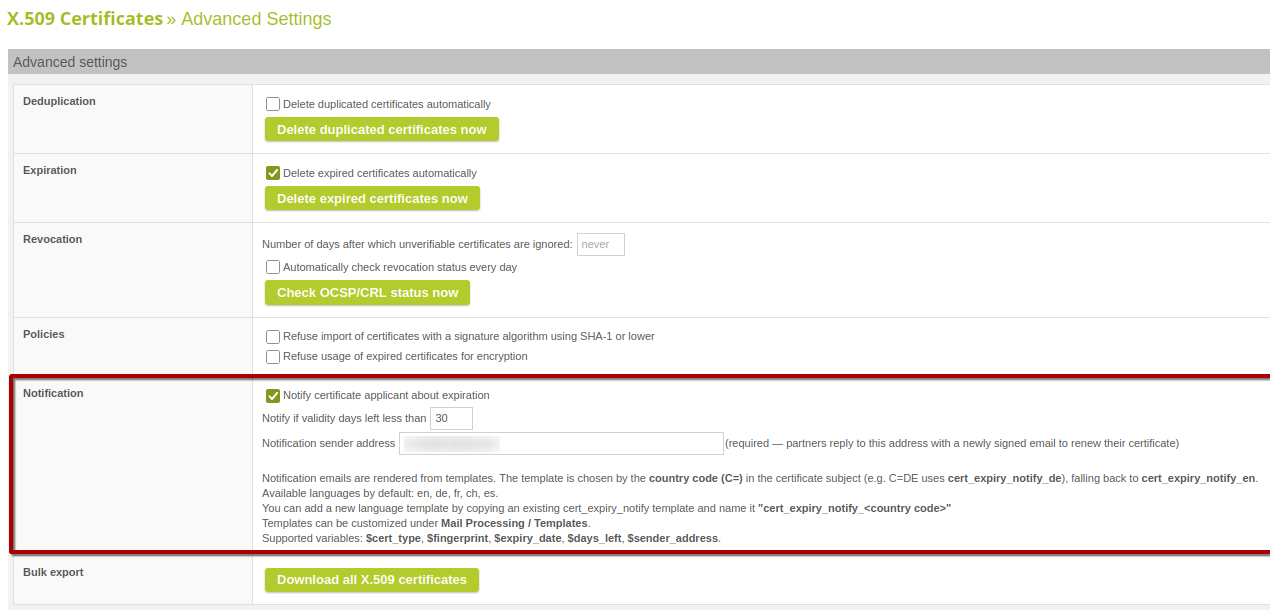
Advanced Settings
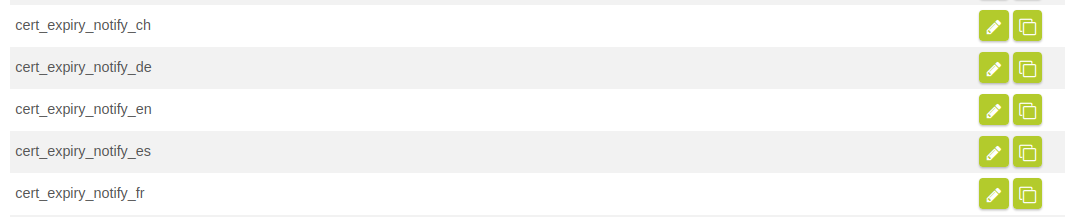
New default mail templates in Mail System
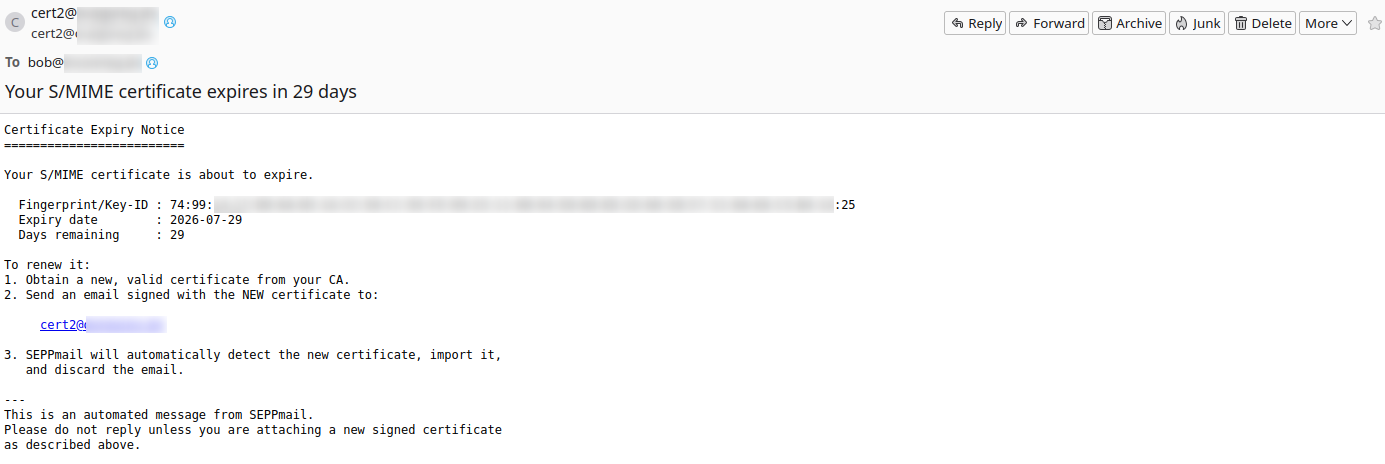
Example notification mail
If the creation and/or sending of a backup during the nightly backup fails, we will now add a notification to the admin GUI and add this warning to the daily digest.
In the past we used an openssl shell call for the revocation test against a CRL. Now we use direct Perl code which makes the calls faster and less resource-intensive.
The appliance now also does an audit for all RestAPI calls modifying any data. This gives us the possibility to analyze who added, changed or deleted any data via RestAPI.
A value was missing from the smimeKeyType enumeration in the REST API OpenAPI schema. This resulted in a schema validation error when retrieving a list of certificates if any of them had this missing smimeKeyType. This has been fixed now.
It is now possible to access Postgres from the Rule Engine. For this, a configuration file has to be uploaded in the Mail Processing. See the linked Rule Engine documentation for more details.
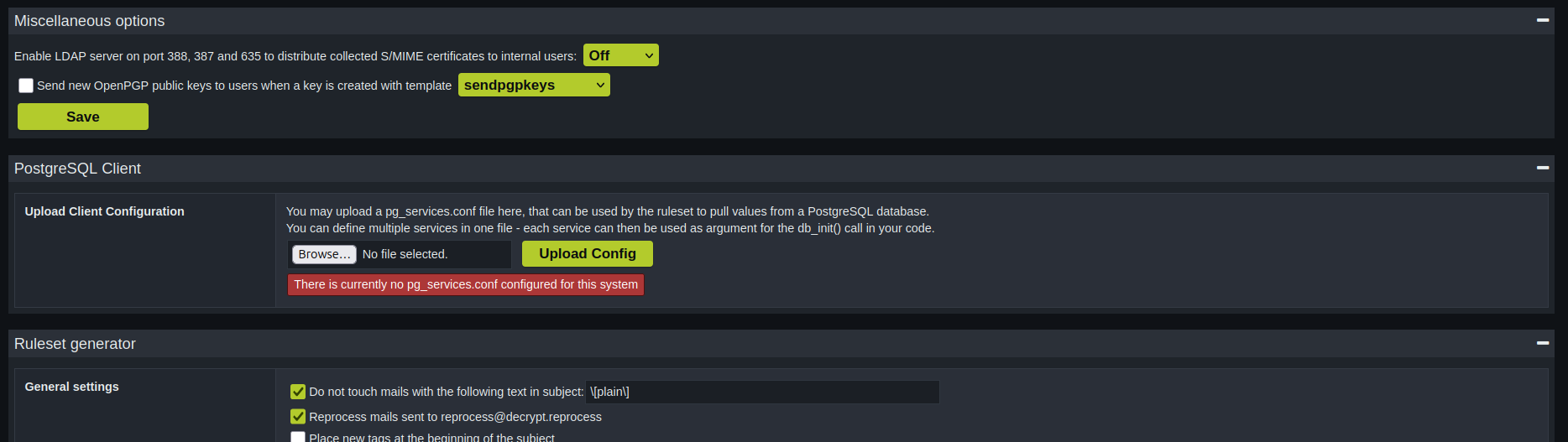
Setting without uploaded PostgreSQL configuration
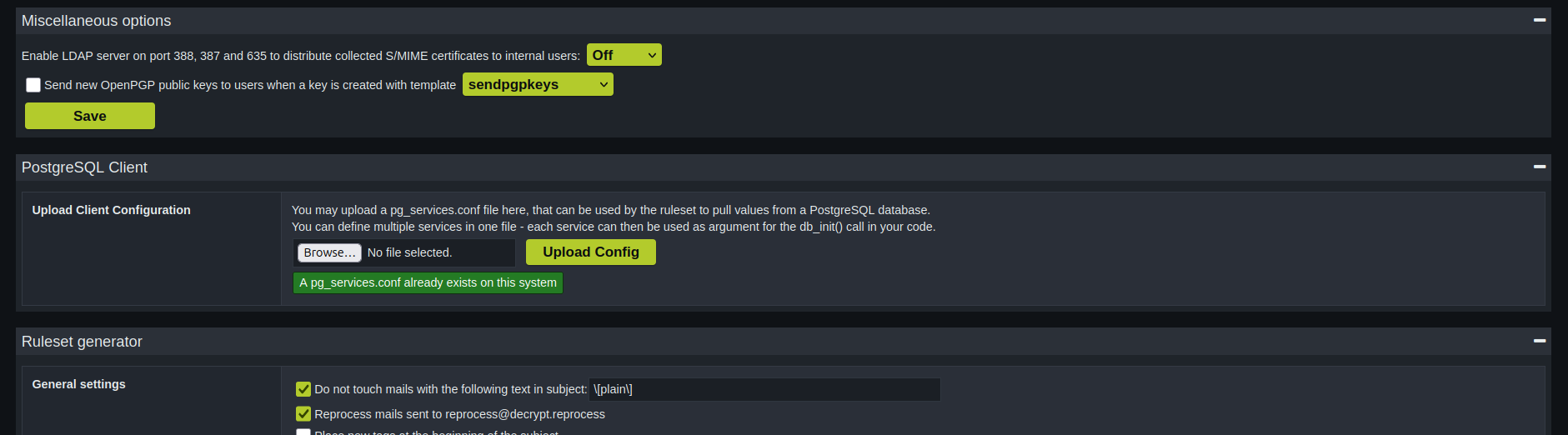
Setting with uploaded PostgreSQL configuration
Starting with 15.1.0 we will add the X-SM-Actions header to every mail processed by SEPPmail. We will use this header later in the Outlook AddIn to do a categorization for incoming mail.
This header is also part of the DKIM and ARC signature so a manipulation will be detected. The header will also be deleted before the RuleEngine processes the mail.
To make the code more secure against command injections, we now always use argument escaping whenever we hand over an argument to a shell call.
In one of the Emposo findings it was possible to inject JavaScript code in the Admin GUI via a manipulated Message-ID. We fixed it and added some more mechanisms to prevent this kind of attack.
This is one of the Emposo findings. It was possible for a RestAPI token without MSP privileges to add, change or delete RootCA certificates. Now only MSP token are allowed to do so.
There was a bug in the CSS parsing software when handling the attributes of a CSS class that were already specified. This lead to a situation where both attribute values were written to the secure-email.html. This has been fixed now.
In the GINA Domain settings in the "Write GINA Email" section it is now possible to restrict the file types of uploaded attachments. These follow the same rules as the type parameter of the partoftype() RuleSet function.
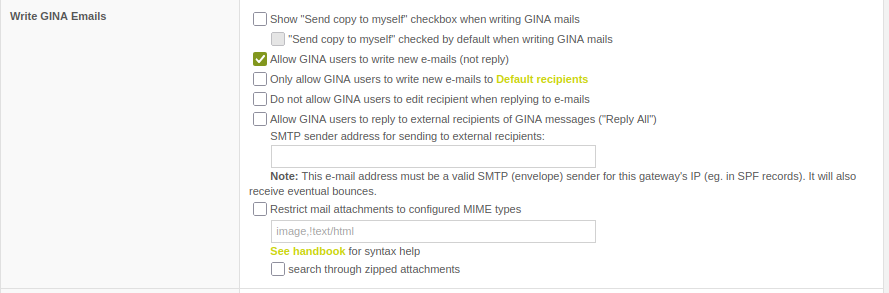
Restrict mail attachments to configured MIME types
--- end of document ---